Interaction modes
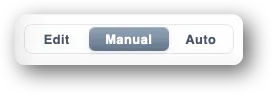
The interaction mode determines what a click, a drag or a command does. You change it via the three buttons on the left of the toolbar.
Edit
The design mode. Everything is editable, nothing moves.
- Place, move, rotate, delete rails.
- Connect / disconnect ports.
- Create and reshape blocks.
- Add and configure sensors and turnouts with their actuators.
- Create, delete or reposition locomotives.
In Edit mode, the routing supervisor is frozen: no speed or turnout commands are sent, even if the command station is connected.
Manual
You take direct control of trains and accessories. The supervisor doesn’t route, but the simulator runs (motion, sensor detection).
- Per-locomotive throttle.
- Direction reversal.
- Click a turnout to throw it.
- Track power off and emergency stop.
This is the mode for trying out your layout, breaking in stock, or running everything by hand the old-fashioned way.
Automatic (Auto)
The supervisor drives. You give it travel requests (“take loco A to block B”) and it computes the route, reserves the blocks, throws the turnouts and modulates the speed. In this mode you can:
- Create / cancel travel requests.
- View the queue, active travels, history.
- Take back control at any time by switching to Manual.
See Automatic control (coming soon).
Switching during operation
You can change mode on the fly: from Auto to Manual to step in, or back to Edit to add a sensor. Switching back to Edit automatically stops all locomotives.