Project data
Every project stores a few global settings that apply to the whole layout. You browse and edit them via Project settings (the gear icon in the toolbar).
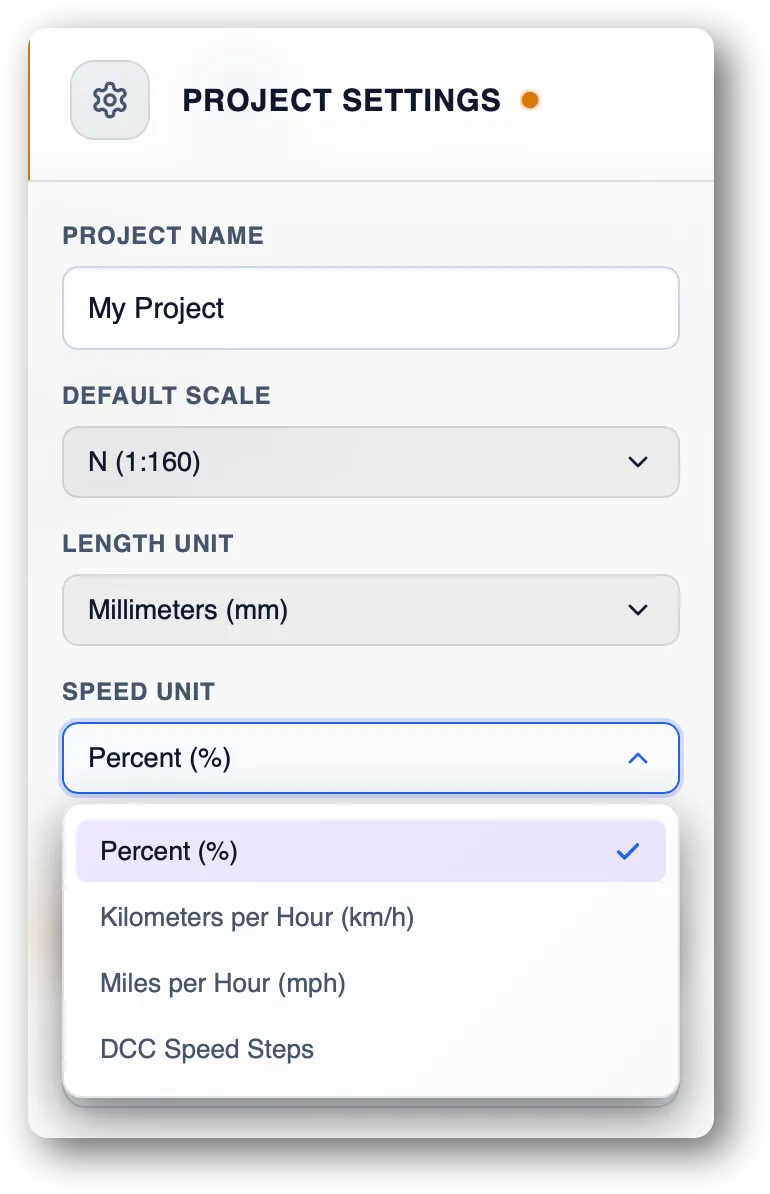
Name
- Name — free text to identify your project
Scale
The geometric scale of the layout, among:
- HO — 1:87
- N — 1:160
- Z — 1:220
The scale is used:
- to set the default scale of newly created locomotives in the project,
- to filter the default track library.
You can change it at any time. A project can manage tracks and locomotives of multiple scales.
Length unit
Unit used to display distances (rail lengths, abscissas):
- mm (millimetres)
- inch
- m (metres)
Internal values are always in millimetres; this setting only affects display.
Speed unit
Unit used by the throttle and speed displays:
- Percent — percentage of the loco’s maximum speed. The most intuitive.
- KmH — kilometres per hour (real-world scaled, based on the project scale and loco calibration).
- MpH — miles per hour, same idea.
- SpeedSteps — display directly in mm/s, the physics engine’s native unit.
See Locomotive calibration (coming soon) to understand how speeds are computed.