The track library
The library lists every rail available for your layout. As a key feature of TrainPanel’s model railway layout designer, you can easily pick the items you want and drop them onto the canvas. Designed to serve as a versatile HO or N scale layout designer, it offers all the tools needed to build your dream network.
Open the library
In the left sidebar, expand the Library section. If hidden, click Show all at the bottom of the sidebar.
Supported brands
TrainPanel ships with several catalogs:
- Fleischmann — HO and N ranges, original references.
- Generic — generic rails for cases useful when your project is only used to pilot your network, without requiring exact correspondence with the topology of the real circuit.
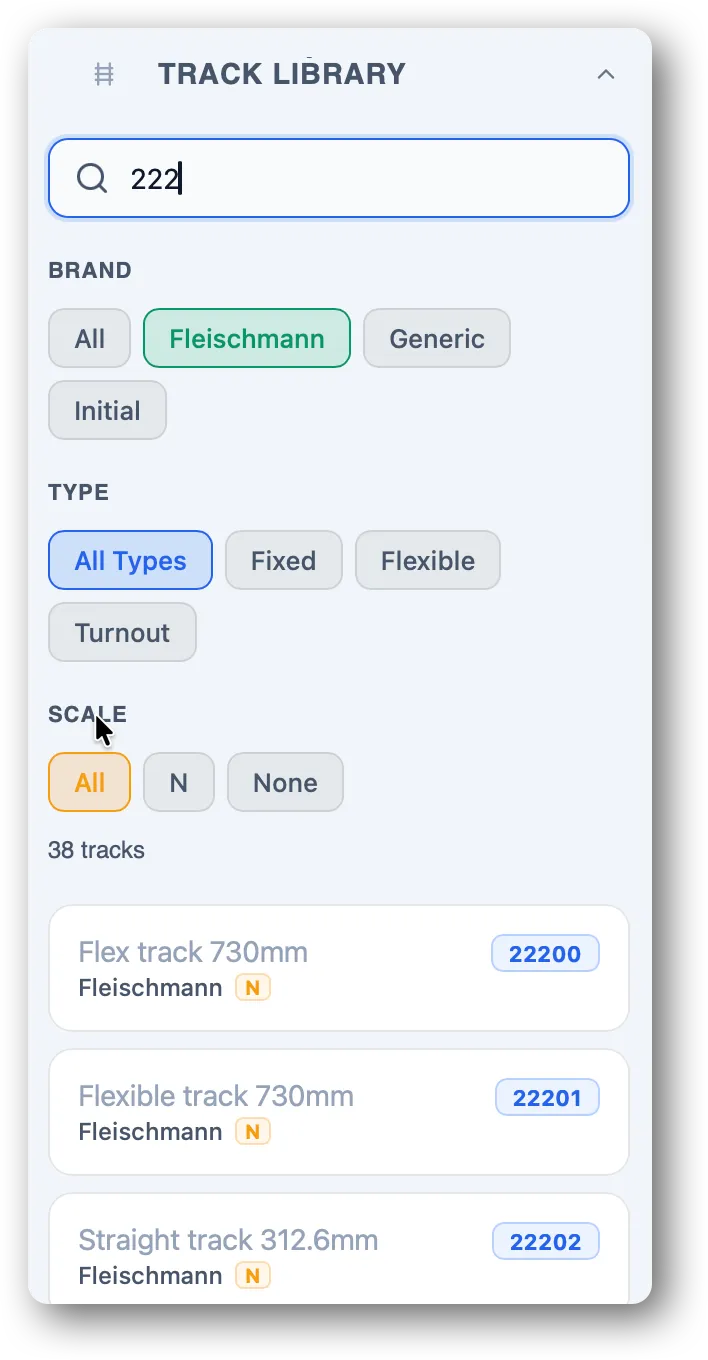
Filter and search
Type a reference (“6101”, “R2”) in the search box. You can also filter by brand to look at one catalog at a time.
Rail preview
On hover, the preview shows:
- the reference,
- the type (straight, curve, turnout, flexible),
- the description according to the manufacturer, generally including length and curvature.
Placing a rail
Click the rail in the library: it becomes the “active rail” you can then drop with a click on the canvas. The reference of the active rail remains usable afterward to place other rails of this type on the canvas.
See Place, move, rotate (coming soon).